Author Zozo Minecraft

Zozo is Gamer Minecrafter. Review Best Minecraft Mods, Minecraft mods review. Find helpful customer reviews and review ratings for Modding Minecraft

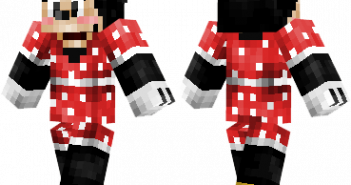
Minecraft Minnie Mouse Skin

Animated character created by Walt Disney. Minecraft Minnie Mouse Skin Installation:  For official game version: Skin Installation: Download skin from the link provided below Go to Minecraft.net > Click profile > Browse your new Skin Upload image Done and enjoy new skin Installation on unofficial Minecraft versions 1.7.10 and higher: Download the skin and rename
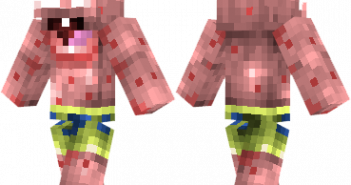
Patrick Skin Minecraft

Patrick Star from SpongeBob SquarePants. Patrick Skin Minecraft Installation:  For official game version: Skin Installation: Download skin from the link provided below Go to Minecraft.net > Click profile > Browse your new Skin Upload image Done and enjoy new skin Installation on unofficial Minecraft versions 1.7.10 and higher: Download the skin and rename it to
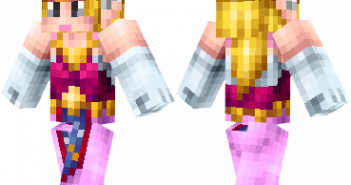
Princess Zelda Skin

Princess Zelda from The Legend of Zelda series. Designed by Leostereo. Princess Zelda Skin Installation:  For official game version: Skin Installation: Download skin from the link provided below Go to Minecraft.net > Click profile > Browse your new Skin Upload image Done and enjoy new skin Installation on unofficial Minecraft versions 1.7.10 and higher: Download

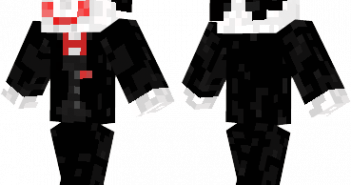
Clown Skin Minecraft

Puppet from the saw films. Clown Skin Minecraft Installation:  For official game version: Skin Installation: Download skin from the link provided below Go to Minecraft.net > Click profile > Browse your new Skin Upload image Done and enjoy new skin Installation on unofficial Minecraft versions 1.7.10 and higher: Download the skin and rename it to
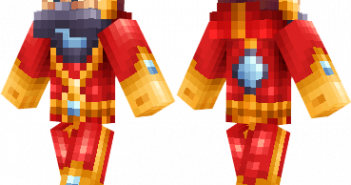
Lazerbreath Skin

Designed by halucid. Lazerbreath Skin Installation:  For official game version: Skin Installation: Download skin from the link provided below Go to Minecraft.net > Click profile > Browse your new Skin Upload image Done and enjoy new skin Installation on unofficial Minecraft versions 1.7.10 and higher: Download the skin and rename it to steve.png. Open the
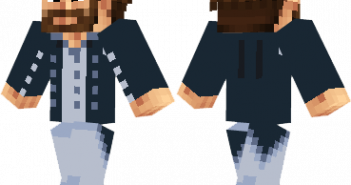
Minecraft Skylord Skin

Designed by halucid. Minecraft Skylord Skin Installation:  For official game version: Skin Installation: Download skin from the link provided below Go to Minecraft.net > Click profile > Browse your new Skin Upload image Done and enjoy new skin Installation on unofficial Minecraft versions 1.7.10 and higher: Download the skin and rename it to steve.png. Open
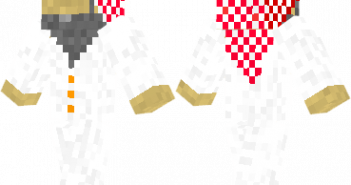
Arab Skin

Arab man wearing a traditional thawb. Arab Skin Installation:  For official game version: Skin Installation: Download skin from the link provided below Go to Minecraft.net > Click profile > Browse your new Skin Upload image Done and enjoy new skin Installation on unofficial Minecraft versions 1.7.10 and higher: Download the skin and rename it to
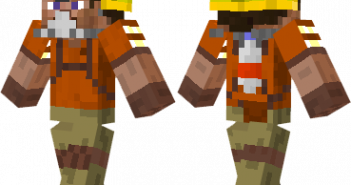
Safety Miner Skin

A well-prepared miner. Designed by SgtPotatoes. Safety Miner Skin Installation:  For official game version: Skin Installation: Download skin from the link provided below Go to Minecraft.net > Click profile > Browse your new Skin Upload image Done and enjoy new skin Installation on unofficial Minecraft versions 1.7.10 and higher: Download the skin and rename it
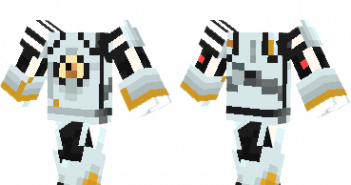
Minecraft P-Body Skin

Robot from Portal 2. Minecraft P-Body Skin Installation:  For official game version: Skin Installation: Download skin from the link provided below Go to Minecraft.net > Click profile > Browse your new Skin Upload image Done and enjoy new skin Installation on unofficial Minecraft versions 1.7.10 and higher: Download the skin and rename it to steve.png.
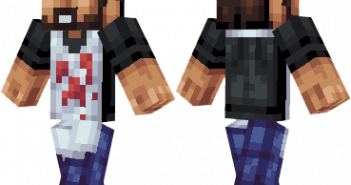
Butcher Skin

Butcher with bloodied apron. Butcher Skin Installation:  For official game version: Skin Installation: Download skin from the link provided below Go to Minecraft.net > Click profile > Browse your new Skin Upload image Done and enjoy new skin Installation on unofficial Minecraft versions 1.7.10 and higher: Download the skin and rename it to steve.png. Open

1 181 182 183 184 185 239